Visual designer
Add resources from a palette, fill in simple forms and link them with dropdowns. Mistakes such as overlapping subnets or invalid names are flagged as you type.

Windows app · version 0.1.0
Azure Template Tool turns networks, virtual machines, AVD host pools, backup and more into ready-to-deploy ARM templates – without writing JSON by hand.
For Windows 10 and 11 (64-bit). Released 14 October 2026.
Azure Template Tool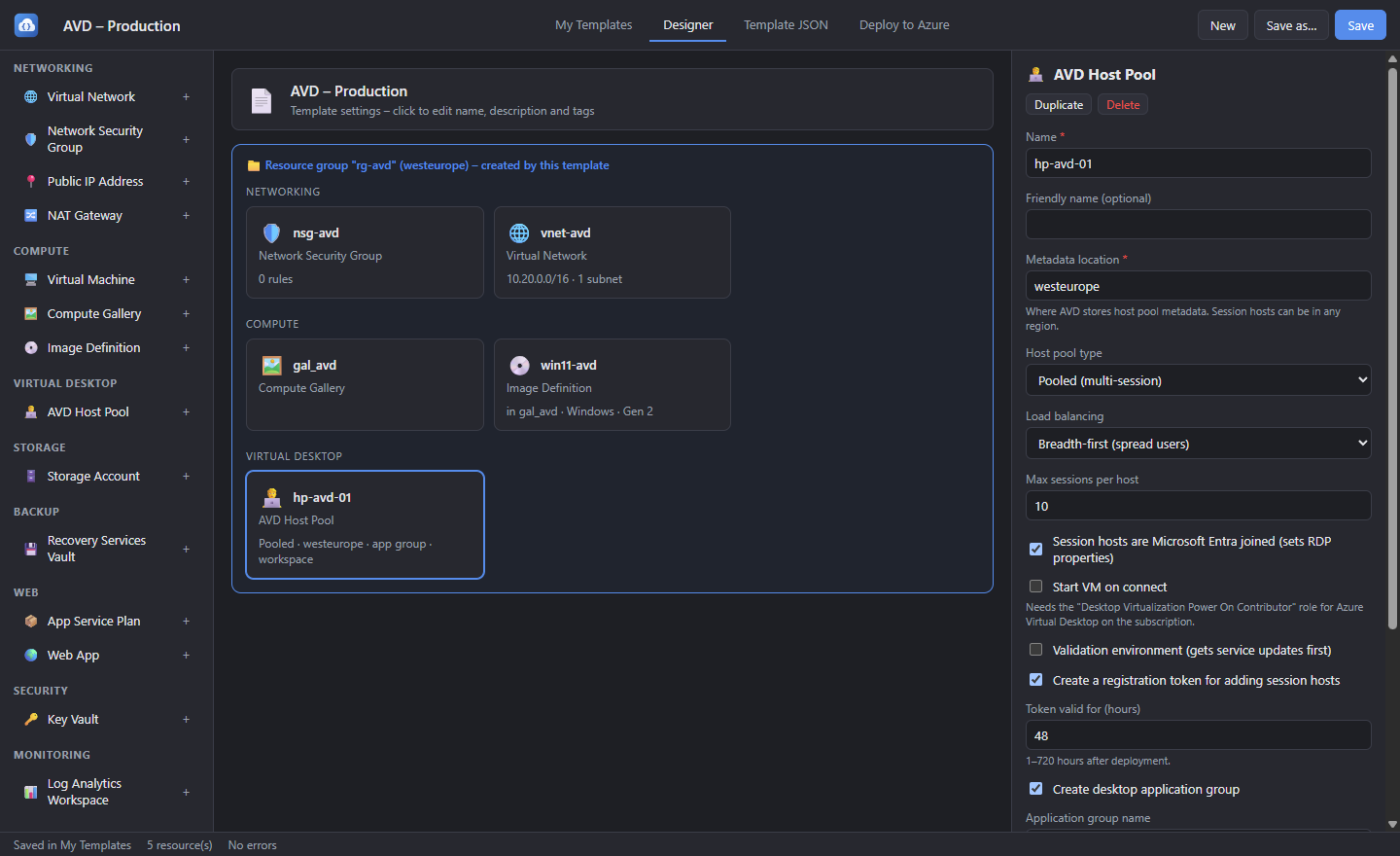
Features
Pick resources, fill in a few fields, and the tool writes the template, checks it and deploys it for you.
Add resources from a palette, fill in simple forms and link them with dropdowns. Mistakes such as overlapping subnets or invalid names are flagged as you type.
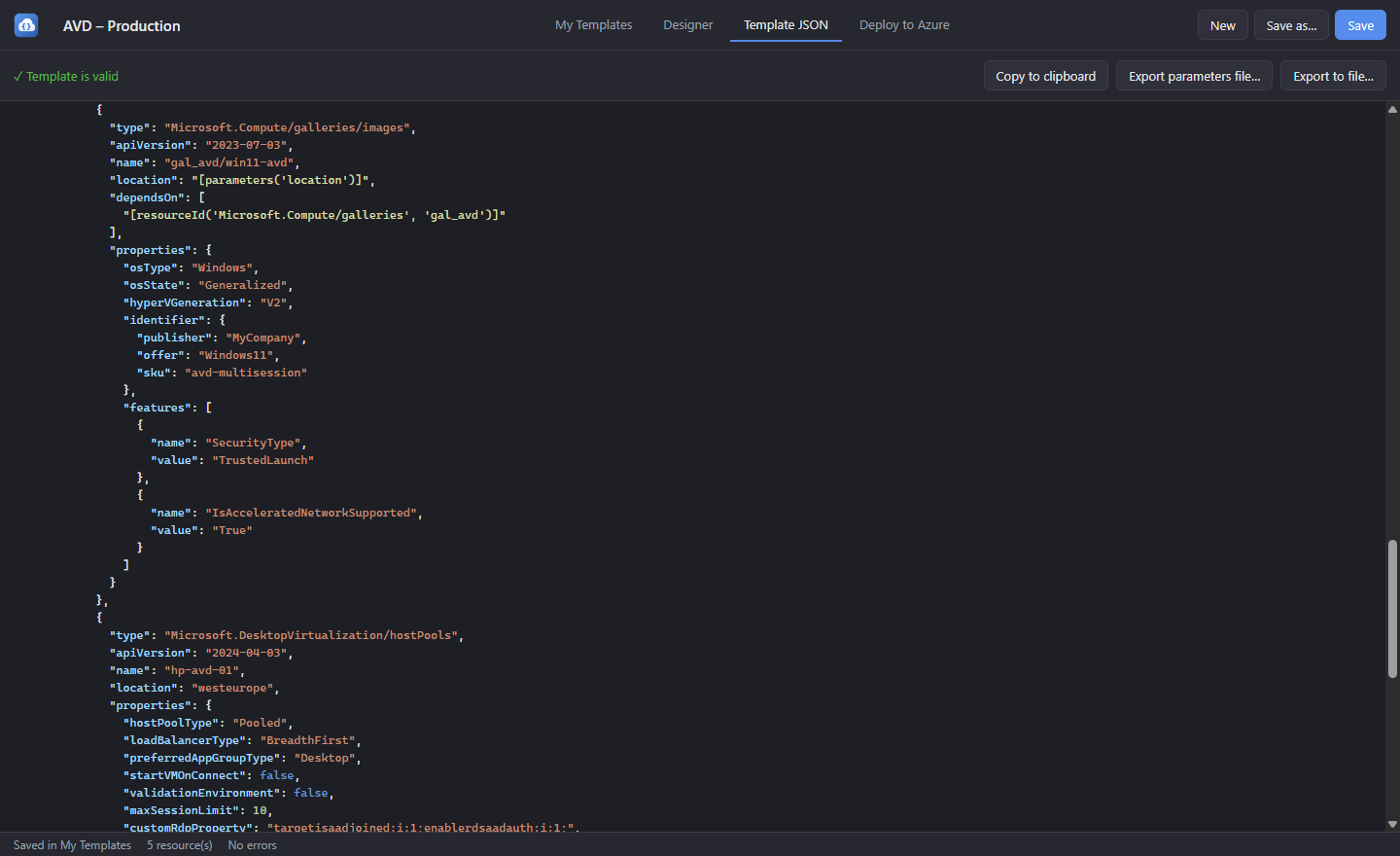
Every save is a standard ARM template. Deploy it with the portal, Azure CLI or PowerShell – or reopen it in the app and keep editing.
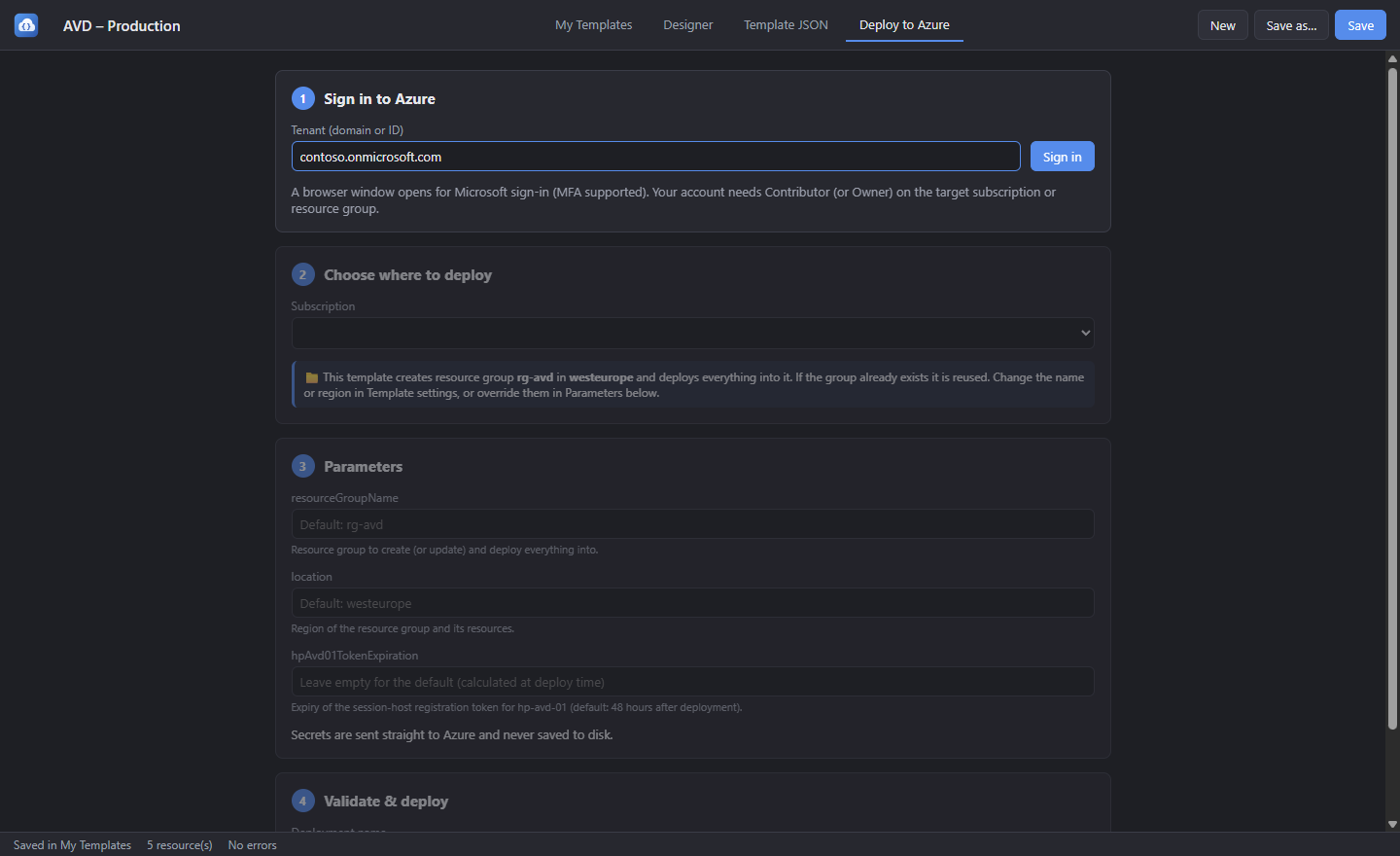
Sign in with your Microsoft account (MFA supported), pick a subscription, validate and deploy – with live progress for every resource.
Let the template create its own resource group and place every resource inside it – one file that sets up a whole environment.
Azure Virtual Desktop host pools with app groups and workspaces, Azure Backup vaults and policies, Compute Gallery image definitions and NAT gateways.
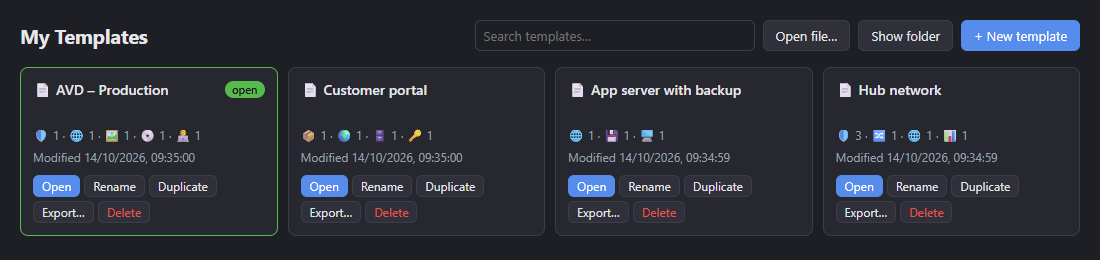
Save templates by name, then search, rename, duplicate and export them from My Templates. Start fast from built-in quick-starts.
Screenshots
Download
Both downloads contain the same app. Pick the one that suits how you work.
A single file you run directly. Nothing to install – keep it in your Downloads folder, on a share or on a USB stick.
db9bc3e5ff2bfea8f7a8fe83aa0901923ada65f9d12f6a6681ad1dcfd8bc046cA classic Windows setup. Installs for your user account with a Start menu shortcut, and can be removed from Apps & features.
06d95e773e4b7d9daa00236dcf85b5e3cb9128b2ff498ab67704967d72745eb6The app isn't code-signed yet, so Microsoft Defender SmartScreen may warn you the first time you run it.
Click More info, then Run anyway.
Compare the file's checksum with the SHA-256 shown above. In PowerShell:
Get-FileHash .\AzureTemplateTool-0.1.0-portable.exe
A Microsoft Entra account with Contributor or Owner on the target subscription or resource group.
Granting access to AVD app groups also needs Owner or User Access Administrator.